
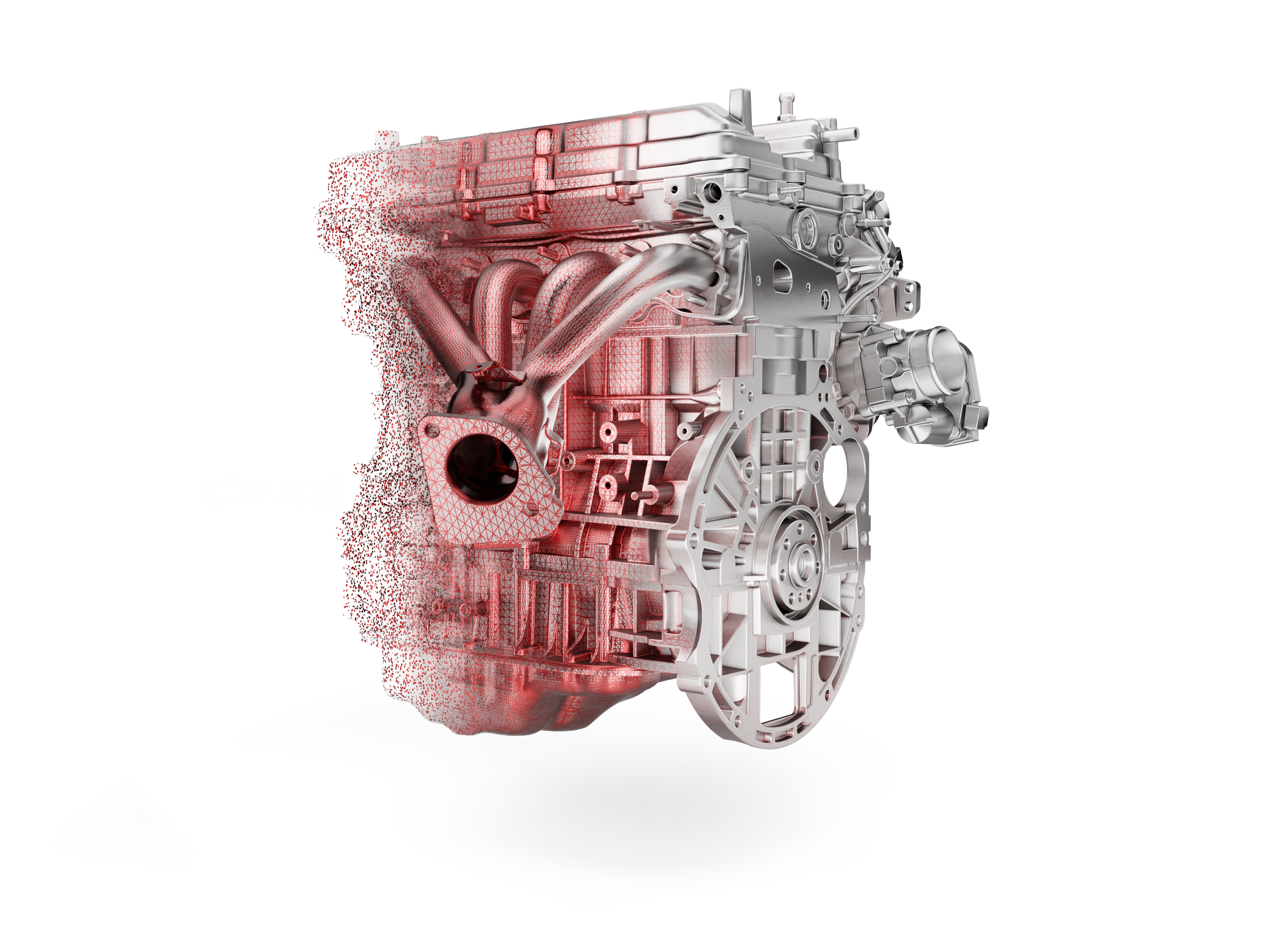
geomagic Design X
The Ultimate Scan-to-CAD Solution
Geomagic Design X is the industry's most comprehensive reverse engineering software. Combining history-based CAD with 3D scan data processing, you can create parametric, editable solid models compatible with your existing CAD software.
Scan, Repair, Rebuild. Reverse Engineer, Fast.
Build accurate, parametric CAD models from just about anything.
Geomagic Design X is the industry’s most comprehensive reverse engineering software. Combining history-based CAD with 3D scan data processing, you can create parametric, editable solid models compatible with your existing CAD software.
Seamlessly Connected
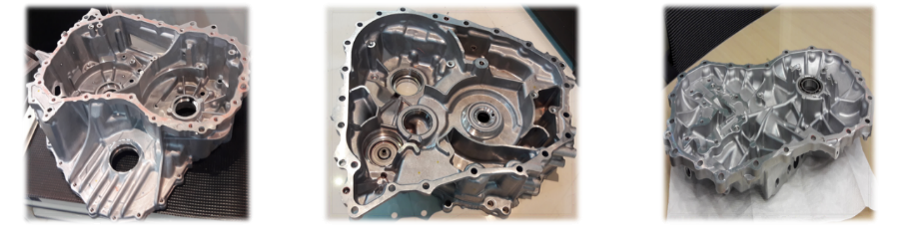
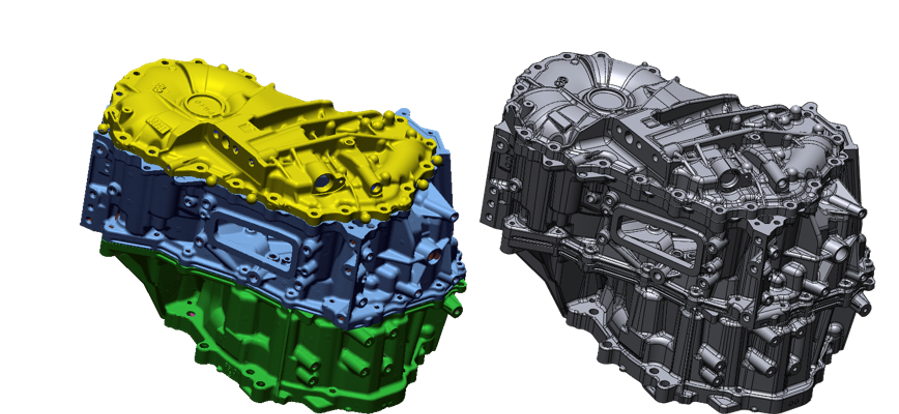
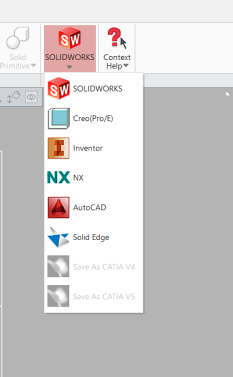
Enhance your CAD workflow with the power of 3D scanning. Geomagic Design X integrates seamlessly with tools like SOLIDWORKS®, Siemens NX®, Solid Edge, Autodesk Inventor®, and PTC Creo®. With LiveTransfer™ technology, transfer complete models, including feature trees, directly into your CAD system. Start with a 3D scan, finish with a solid or surface model—faster than ever.
satisfy the need for speed
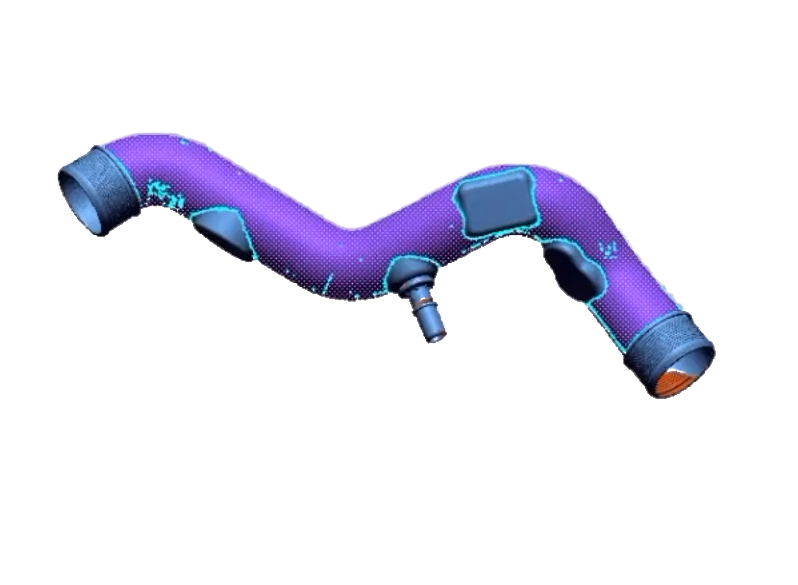
Intuitive & powerful modelling wizards allow users to create complex piping networks, revolved profiles, hole patterns, sketches, and other traditionally time consuming features with a single click. Forget tedious manual measurements and start designing smarter, not harder.
Which version is right for me?
| Go | Plus | Pro | |
|---|---|---|---|
| Input / Output | |||
| Import/Export Neutral Point Data (PTS, etc.) | ✓ | ✓ | ✓ |
| Import/Export Neutral Meshes (STL, etc.) | ✓ | ✓ | ✓ |
| Import Scanner Formats | ✓ | ✓ | ✓ |
| Import/Export Neutral CAD (STEP, IGES, etc.) | ✓ | ✓ | ✓ |
| Import/Export DXF | ✓ | ✓ | ✓ |
| Import Parasolid Text/Binary | ✕ | ✕ | ✓ |
| Import Native CAD (ACIS, CATIA, Creo, NX, SolidWorks, Inventor, VDA-FS, Rhino, JT, SolidEdge) | ✕ | ✕ | ✓ |
| Export Parasolid Text/Binary, Leica, KeyShot | ✕ | ✕ | ✓ |
| Export Native CAD (ACIS, CATIA) | ✕ | ✕ | ✓ |
| Select | |||
| Mode (Line, Rectangle, Circle, etc., Select by Angle, Extend To Similar, Extend To Sudden Change, Extend By Smart Selection) | ✓ | ✓ | ✓ |
| All (Entity based on Selection Filter), None, Inverse | ✓ | ✓ | ✓ |
| Custom Region | ✓ | ✓ | ✓ |
| Boundary Entities, Entities Around Edges/Faces, Enlarge, Shrink, Convert Current Selection, By Criteria, By Color, Exterior Poly-Faces | ✕ | ✕ | ✓ |
| Reference Geometry | |||
| All (Plane, Vector, Coordinate System, Polyline, Point) | ✓ | ✓ | ✓ |
| Solid Tools | |||
| Extrude, Revolve, Sweep, Loft | ✓ | ✓ | ✓ |
| Cut, Boolean | ✓ | ✓ | ✓ |
| Solid Offset, Shell, Thicken Surface | ✕ | ✓ | ✓ |
| Surface Tools | |||
| Mesh Fit, Auto Surface (without selective surfacing) | ✓ | ✓ | ✓ |
| Extrude, Revolve, Sweep, Loft, Reverse Normal | ✓ | ✓ | ✓ |
| Surface Offset | ✕ | ✓ | ✓ |
| Auto Surface (with selective surfacing) | ✕ | ✓ | ✓ |
| Fill Face, Extend/Trim/Untrim Surface, Sew | ✕ | ✓ | ✓ |
| Fit Surface Patches | ✕ | ✕ | ✓ |
| Boundary Fit | ✕ | ✕ | ✓ |
| Solidify | ✕ | ✕ | ✓ |
| Modeling Wizards | |||
| Solid Primitive, Surface Primitive | ✓ | ✓ | ✓ |
| Extrusion Wizard, Revolution Wizard, Sweep Wizard, Loft Wizard, Pipe Wizard | ✕ | ✕ | ✓ |
| Modeling Features | |||
| Fillet, Chamfer | ✓ | ✓ | ✓ |
| Transform Body, Delete Face, Draft, Linear/Circular Pattern, Mirror | ✕ | ✓ | ✓ |
| Emboss, Curve Pattern, Helix Curve, Spiral Curve, 3D Polyline Curve, Move/Replace/Split Face, Duplicate/Delete Body | ✕ | ✕ | ✓ |
| CAD Correct | |||
| Refit | ✕ | ✕ | ✓ |
| Scanner Direct Control / LiveCapture | |||
| Hexagon/ZG Handheld Scanners, Creaform Portable 3D Scanners, Geomagic Capture, Konica Minolta Range5/Range7, Shining 3D, Z Corporation Zscanner, eviXscan Scanners 3D, ScanTech DefinSight, ScanTech Tviewer | ✓ | ✓ | ✓ |
| Aicon, Faro Cobalt Array Imager, Hexagon Structured Light Scanner (StereoScan neo, SmartScan, PrimeScan), Hexagon Absolute Arm, Romer Infinite/Stinger, Leica T-Probe, Leica T-Scan TS50, Leica Absolute Tracker AT960, Konica Minolta VIVID | ✕ | ✓ | ✓ |
| Probing | |||
| LiveAlign, LiveCapture, LiveModel, LiveGeometry | ✕ | ✓ | ✓ |
| Probe Location, Move Device, Setting, Connect/Device Connect | ✕ | ✓ | ✓ |
| Scan Tools | |||
| Triangulate, Align Between Scan Data, Merge, Combine, Decimate, Transform Scan Data | ✓ | ✓ | ✓ |
| Normal Information Wizard, Boolean | ✕ | ✕ | ✓ |
| Mesh Buildup Wizard, Unroll/Roll Scan, Average Meshes | ✕ | ✕ | ✓ |
| Mesh Tools | |||
| Healing Wizard, Fix Normal, Global Remesh, Fill Holes, Smooth, Split | ✓ | ✓ | ✓ |
| Offset | ✓ | ✓ | ✓ |
| Navigation | ✓ | ✓ | ✓ |
| Edit Boundaries, Defeature, Trim, Convert To Mesh | ✕ | ✓ | ✓ |
| Mirror, Thicken, Separate Mesh | ✕ | ✕ | ✓ |
| Sew Boundaries, Retriangulate, Optimize Mesh, Edit Poly-Edge, Virtual Rescan, Rewrap | ✕ | ✕ | ✓ |
| Remove Markers, Add Poly-Face, Smart Brush, Subdivide, Enhance Shape, Refit, Insert | ✕ | ✕ | ✓ |
| Shrink Wrap | ✕ | ✓ | ✓ |
| Region | |||
| Insert | ✓ | ✓ | ✓ |
| Merge, Split | ✓ | ✓ | ✓ |
| Auto Segment, Resegment, Separate, Enlarge, Shrink, Geometry Classification | ✕ | ✕ | ✓ |
| Point Cloud | |||
| Filter Noise, Sampling | ✓ | ✓ | ✓ |
| Smooth, Offset Points, Construct Mesh, Convert to Point Cloud, Separate Point Cloud | ✕ | ✕ | ✓ |
| Texture | |||
| Add/Edit/Remove/Export Texture | ✕ | ✕ | ✓ |
| Convert Texture To Color, Convert Color To Texture, Copy Texture/Vertex Color, Compensate Color Temperature | ✕ | ✕ | ✓ |
| Scan Process | |||
| Process Designer, Run Scan Process, Batch Process | ✕ | ✕ | ✓ |
| 2D Sketch Entities | |||
| Mesh Sketch | ✓ | ✓ | ✓ |
| Sketch | ✓ | ✓ | ✓ |
| Line, Rectangle, Polygon, Circle, Arc, Spline, Centerline, Construction Point | ✓ | ✓ | ✓ |
| Parallelogram, Ellipse | ✓ | ✓ | ✓ |
| Slot | ✓ | ✓ | ✓ |
| Parabola | ✕ | ✕ | ✓ |
| Sketch Text, Insert from File, By Fitting Polyline | ✕ | ✕ | ✓ |
| AutoSketch | ✕ | ✕ | ✓ |
| 2D Sketch Tools | |||
| Fillet, Chamfer, Offset, Trim, Extend, Split, Convert Entities, Resize | ✓ | ✓ | ✓ |
| Mirror, Linear Sketch Pattern, Circular Sketch Pattern | ✓ | ✓ | ✓ |
| Smart Dimension, Constraints | ✓ | ✓ | ✓ |
| Snap On Entities, Snap On Polylines, Smart Snap | ✓ | ✓ | ✓ |
| Tangent/Coincident Constraint Settings | ✕ | ✓ | ✓ |
| Merge | ✕ | ✓ | ✓ |
| Rebuild Spline, Silhouette | ✕ | ✕ | ✓ |
| Convert to Spline, Text to Spline, Insert Polyline | ✕ | ✕ | ✓ |
| 3D Sketch Entities | |||
| 3D Sketch | ✓ | ✓ | ✓ |
| Spline | ✓ | ✓ | ✓ |
| Section | ✓ | ✓ | ✓ |
| 3D Mesh Sketch | ✕ | ✓ | ✓ |
| Pencil, Intersection, Boundary, UV Curves from Surface, Spline by Fitting, Unroll/Roll Curves, Trace Feature Line | ✕ | ✕ | ✓ |
| Extract Contour Curves, Construct Patch Network, Create Patch Network | ✕ | ✕ | ✓ |
| Shuffle Patch Groups, Relax Contour, Relax Patches, Remove Patches, Repair Patches | ✕ | ✕ | ✓ |
| 3D Sketch Tools | |||
| Convert Entities | ✓ | ✓ | ✓ |
| Offset, Mirror, Trim, Extend, Split, Remove Constraint, Join, Rebuild, Merge | ✕ | ✓ | ✓ |
| Project, Smooth, Match, Blend, Insert/Remove Node | ✕ | ✕ | ✓ |
| Body Tools | |||
| Find Defect | ✕ | ✕ | ✓ |
| Align | |||
| Interactive Alignment | ✓ | ✓ | ✓ |
| Quick Fit, Best Fit, Datum Match | ✕ | ✕ | ✓ |
| Align Wizard, Target Registration, Sphere Registration | ✕ | ✕ | ✓ |
| Measure | |||
| Distance, Angle, Radius, Section | ✓ | ✓ | ✓ |
| Mesh Deviation | ✓ | ✓ | ✓ |
| View | |||
| Visibility, Zoom, Mesh Display Mode, Body Display Mode, Viewpoint, Viewport, Light Properties, View Clip, Walk-through | ✓ | ✓ | ✓ |
| Accuracy Analyzer | |||
| Deviation for Body, Deviation for Mesh, 2D/3D Sketch Analysis | ✓ | ✓ | ✓ |
| All | ✕ | ✓ | ✓ |
| Add Ins | |||
| Import/Split, IGES Point Importer, Sphere Registration, Flatten/Deform | ✕ | ✕ | ✓ |
| Legacy Create Curve Network, Legacy Auto-Surfacing, Legacy Fill Hole, Target Registration, New Feature Preview | ✕ | ✕ | ✓ |
| Publish | |||
| Publish to PDF | ✓ | ✓ | ✓ |
| Live Transfer | |||
| SolidWorks, NX, Creo, AutoCAD, Inventor | ✓ | ✓ | ✓ |
| Support | |||
| Email support | ✓ | ✓ | ✓ |
| Installation/Licensing support | ✓ | ✓ | ✓ |
| Knowledge Base access | ✓ | ✓ | ✓ |
| Case response in 1 business day | ✕ | ✓ | ✓ |
| Case response in 3 business days | ✓ | ✕ | ✕ |
| Remote session support | ✕ | ✓ | ✓ |
| Phone support | ✕ | ✓ | ✓ |
| Usage/workflow support | ✕ | ✓ | ✓ |